Ten ways to explore 528 datasets on a live globe.
Every concept is a fully working prototype of the dataset catalog: search, filter, categorise, sort and view — on a real-time 2D ⇄ 3D globe. Each one has its own design language, three themes and three layouts.
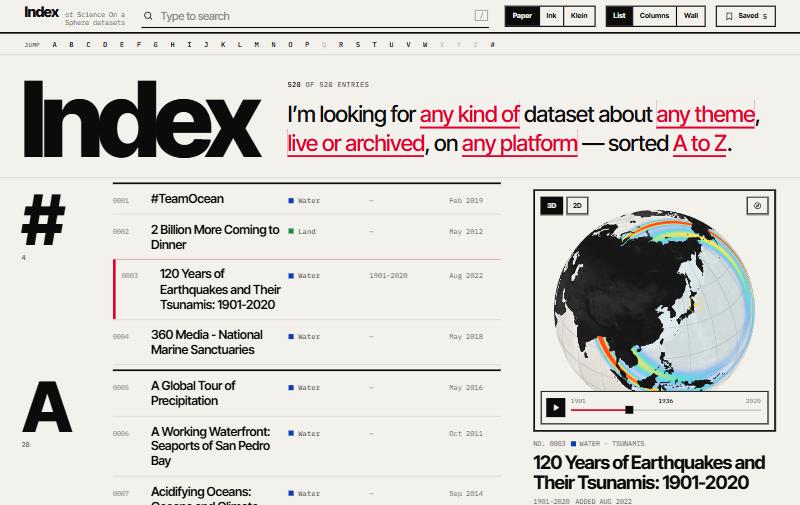
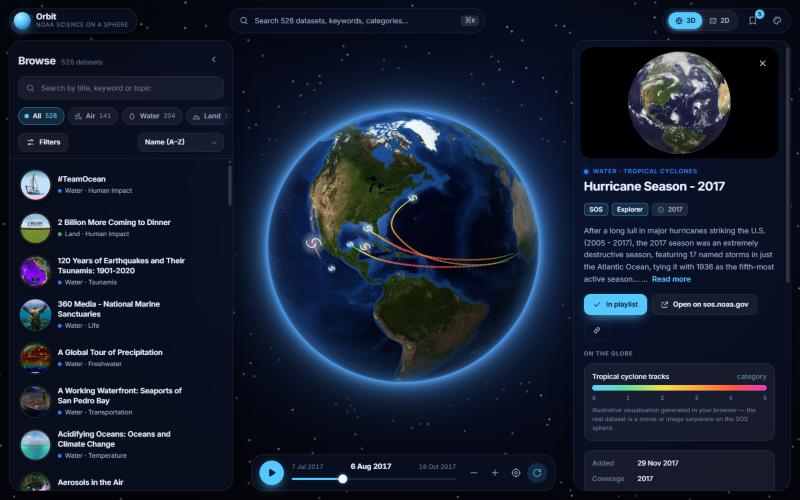
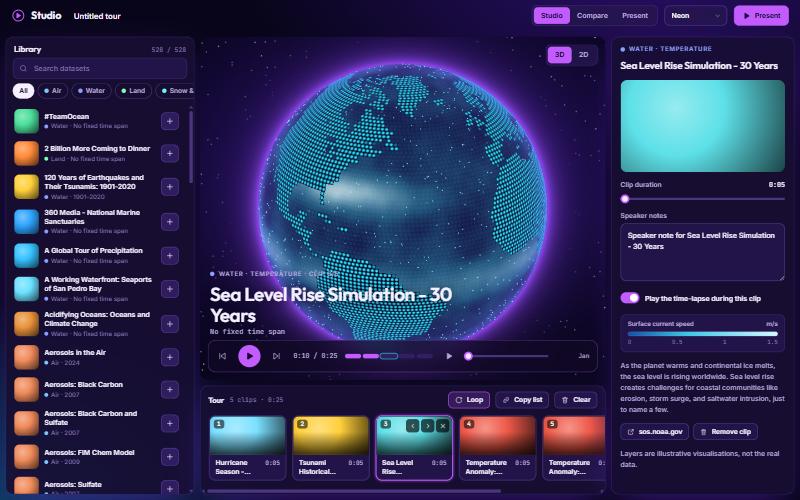
- 528real catalog datasets, with descriptions & thumbnails
- 10distinct UI / UX concepts
- 30themes — three per concept
- 30layouts — three per concept
- 2D⇄3Dcustom WebGL2 globe & map in every one
The concepts
Open a concept, or jump straight into a particular theme or layout using the chips on each card.
Which one fits?
A rule-of-thumb view of where each concept is strongest. They all cover search, filters, sorting, categories and a 2D/3D viewer — this is about emphasis.
| Concept | Find fast | Discover | Map in context | Time | Present & teach | Mobile |
|---|
Three dots = the concept’s sweet spot.
Good to know
Real catalog, illustrative layers
The 528 dataset names, categories, themes, keywords, descriptions, coverage dates and thumbnails are taken from the public Science On a Sphere catalog. The map layers drawn on the globe are procedural illustrations generated in your browser — not the actual data.
One engine, ten interfaces
A dependency-free WebGL2 engine morphs a sphere into a flat map (equirectangular, Natural Earth or Mercator), renders day/night, atmosphere and 20+ data looks, and also draws moons and planets. Every concept shares it, plus the catalog store and a playlist that follows you from concept to concept.
Open, accessible, responsive
- Keyboard first: / focuses search, Esc closes things.
- Honours reduced-motion and dark/light preferences.
- Tested from phone to wide desktop.
- Text contrast measured against WCAG AA (4.5:1) in all 30 themes — apart from text laid directly over imagery or the globe.
- Thumbnails and web fonts load from the internet; everything else is inside each single HTML file.